An ESP-IDF component for Physical Computing
Purpose
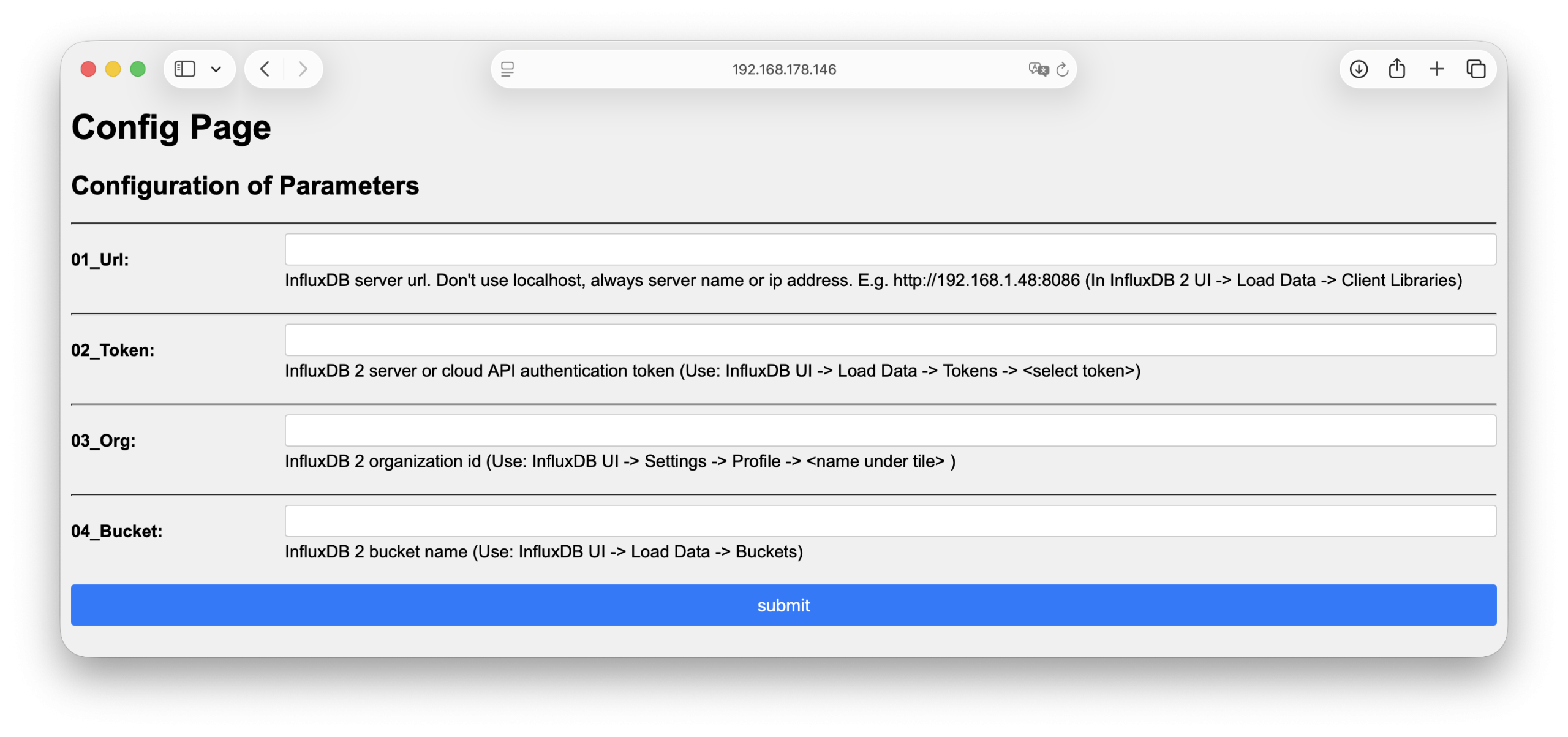
Enter configuration parameters on a web page and store it in NVS flash memory for ESP32 systems.
How it is done
You need to includehttp_config_server.hpp.
After establishing a Wifi connection the HttpConfigServer class can be used.
Where to find it
http_config_server is published on the ESP Registry at https://components.espressif.com/components/elrebo-de/http_config_server.
The source code can be found at https://github.com/elrebo-de/http_config_server.
How to use it
As an ESP-IDF component http_config_server must be included into idf_component.yml as a dependency. As usual this can be done by executing this command:
idf.py add-dependency "elrebo-de/http_config_server^1.1.3"
Now you can include http_config_server.hpp and use the HttpConfigServer class in your program.
The HttpConfigServer class is implemented as a Singleton. With this code it is initialized:
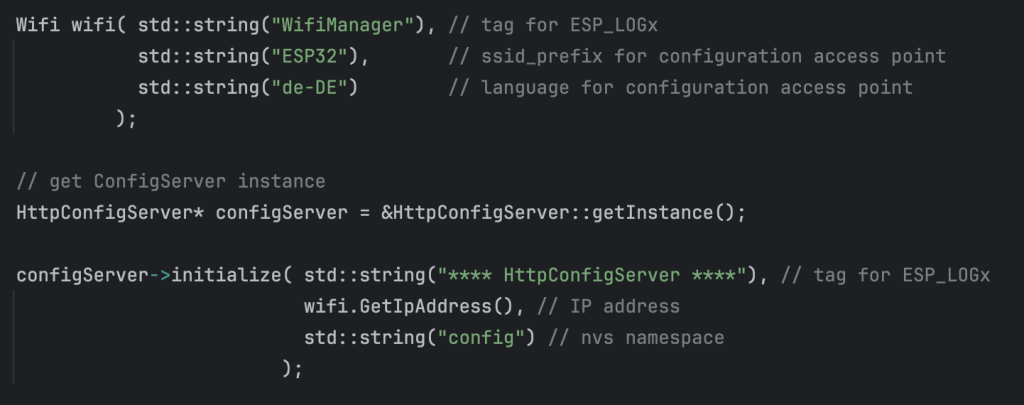
The Wifi connection is set up with elrebo-de/wifi_manager.
Then the pointer to the HttpConfigServer instance is retrieved with getInstance() and the method initialize is called.
The next step is to declare the config parameters. This is done with method addStringParameter.
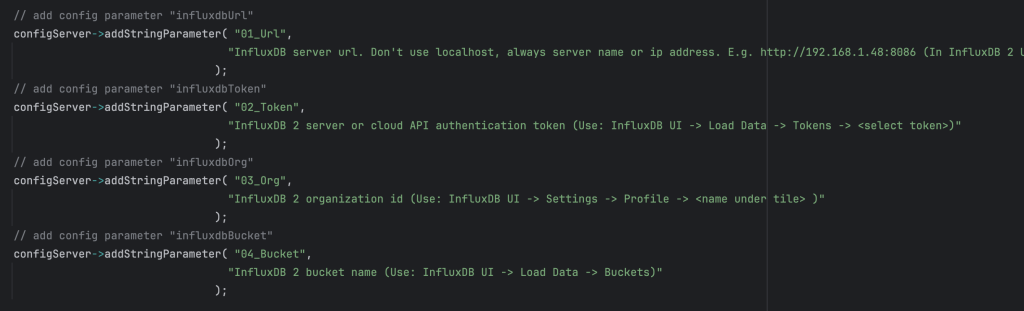
Here four parameters are declared.
The last step is to call method isConfigured() which does the magic.
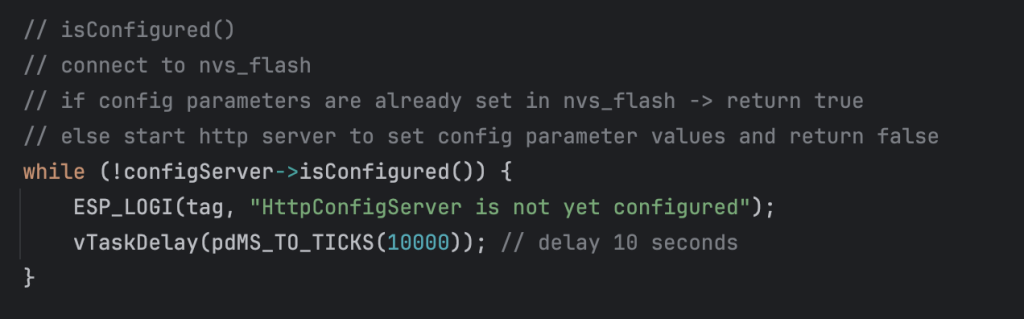
It returns true when all configuration parameters have been assigned a value, which is stored in NVS flash memory.
If any parameter has no value yet, it starts the HTTP configuration server and returns false.
The user opens a browser and navigates to the configuration server page, e.g.: http://192.168.178.146/config where the configuration parameters can be entered.
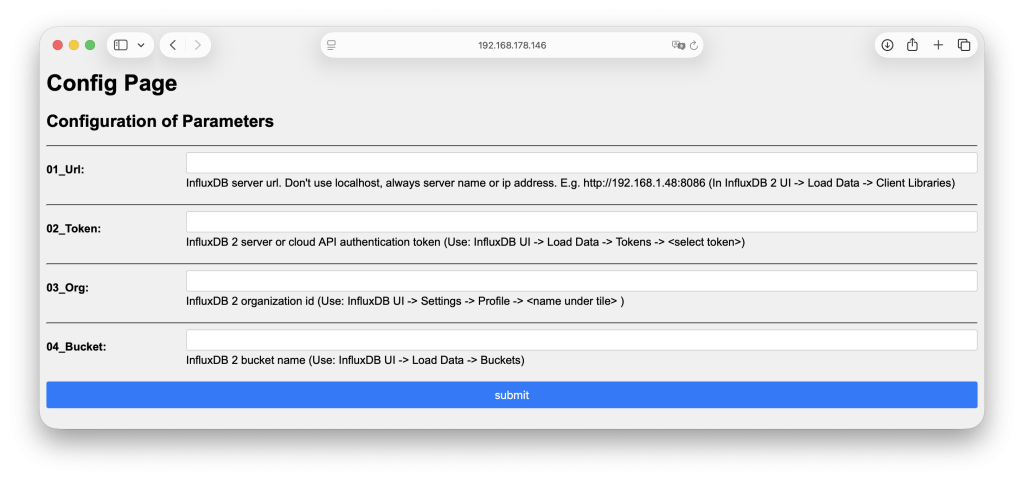
When all parameters are set, method isConfigured() returns true and the values can be retrieved with method getStringParameterValue.
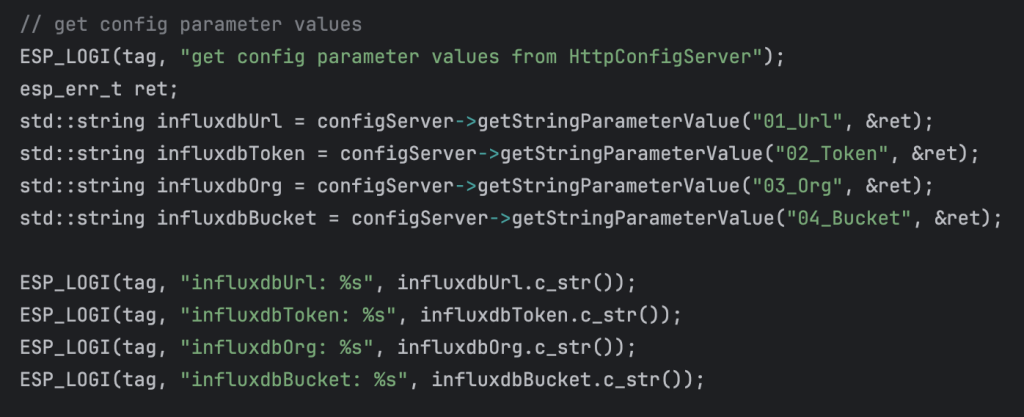
The next time the program is run, the config parameters are taken from NVS flash memory, no user interaction is needed and the HTTP configuration server is not used.
Leave a Reply