An ESP-IDF component for Physical Computing
Purpose
Establish a Wifi connection on an ESP32 system.
How it is done
Wifi credentials are not given in the program code, they are stored in NVS flash storage.
On Wifi startup if there are no credentials stored in NVS flash yet, the Wifi configuration is started.
Otherwise the credentials from NVS flash are used. If a Wifi connection can be established everything is fine. If after 20 seconds no connection is established, the Wifi configuration is started.
In Wifi configuration mode a Wifi access point is established at IP address 192.168.4.1. You will find the Wifi network with name ESP32-xxxx in the list of available Wifi networks. The SSID prefix (“ESP32”) can be changed in the constructor of class Wifi.

If you connect to this network a captive portal is started where you can find a list of all available Wifi SSIDs. The initial presentation language can be set in the constructor of class Wifi. Here you choose your SSID and enter the password.
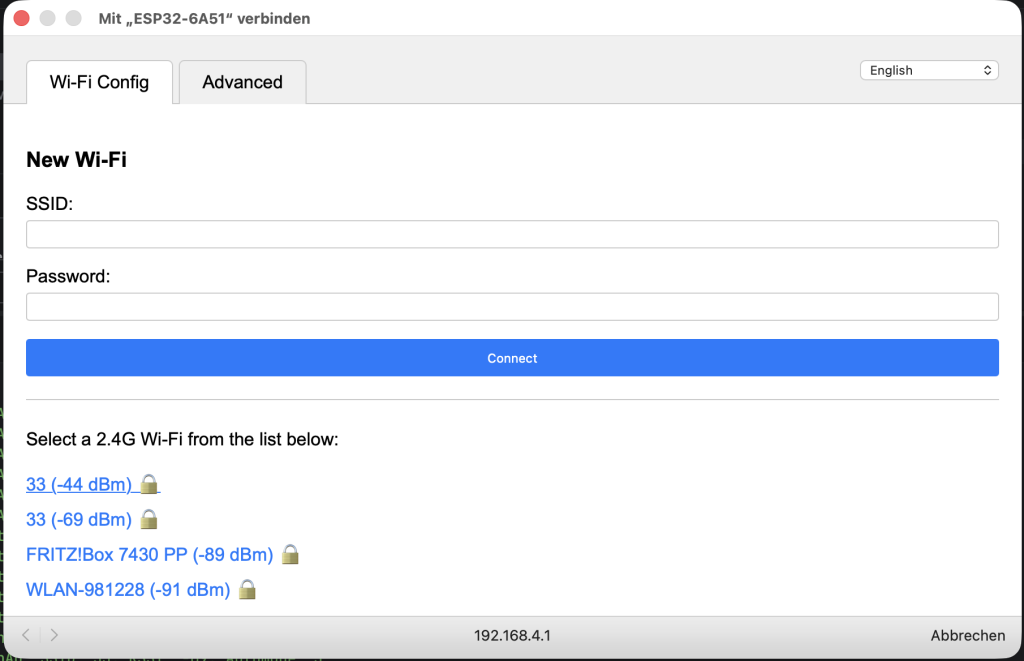
The credentials (SSID and password) are stored in NVS flash storage and the Wifi is connected.
This component depends on 78/esp-wifi-connect.
Where to find it
wifi_manager is published on the ESP Registry at https://components.espressif.com/components/elrebo-de/wifi_manager.
The source code can be found at https://github.com/elrebo-de/wifi_manager.
How to use it
As an ESP-IDF component wifi_manager must be included into idf_component.yml as a dependency. As usual this can be done by executing this command:
idf.py add-dependency "elrebo-de/wifi_manager^1.4.0"
In CMakeLists.txt "elrebo-de__wifi_manager" has to be added as a requirement.
Now you can include wifi_manager.hpp and use the Wifi class in your program:
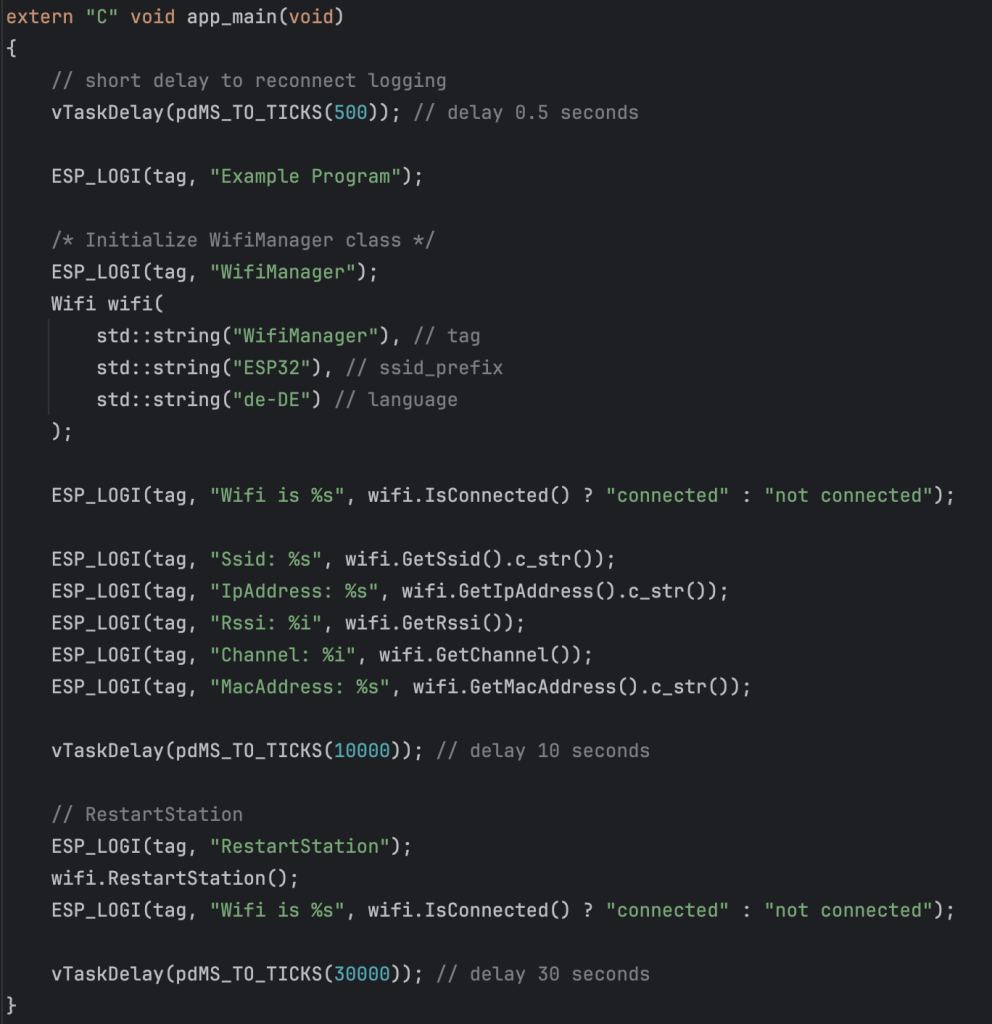
There are three parameters in the constructor of class Wifi:
- tag – the tag used for logging from this instance of Wifi class
- ssid_prefix – the prefix used for the SSID in configuration mode
- language – the language used in the captive portal of the configuration mode
Leave a Reply