An ESP-IDF component for Physical Computing
Purpose
Generic Button functionality for ESP32 systems.
How it is done
For every button you want to use, you have to
- create an instance of class GenericButton
For every button event you want to detect, you have to
- prepare a callback function to handle the event
- register the event and the callback function for the button
When one of the registered events occurs, the corresponding callback function is triggered.
Where to find it
generic_button is published on the ESP Registry at https://components.espressif.com/components/elrebo-de/generic_button.
The source code can be found at https://github.com/elrebo-de/generic_button.
How to use it
As an ESP-IDF component generic_button must be included into idf_component.yml as a dependency. As usual this can be done by executing this command:
idf.py add-dependency "elrebo-de/generic_button^1.0.5"
In CMakeLists.txt "elrebo-de__generic_button" has to be added as a requirement.
Now you can include generic_button.hpp and use the GenericButton class in your program.
There are five parameters in the constructor of class GenericButton:
- tag – the tag used for logging from this instance of GenericButton class
- buttonPin – the GPIO pin number of the button
- activeLevel – the pin level when the button is active
- disablePull – set to true, when pullup/pulldown has to be disabled
- buttonType – one of “GPIO”, “ADC” or “MATRIX” (currently only “GPIO” is implemented)
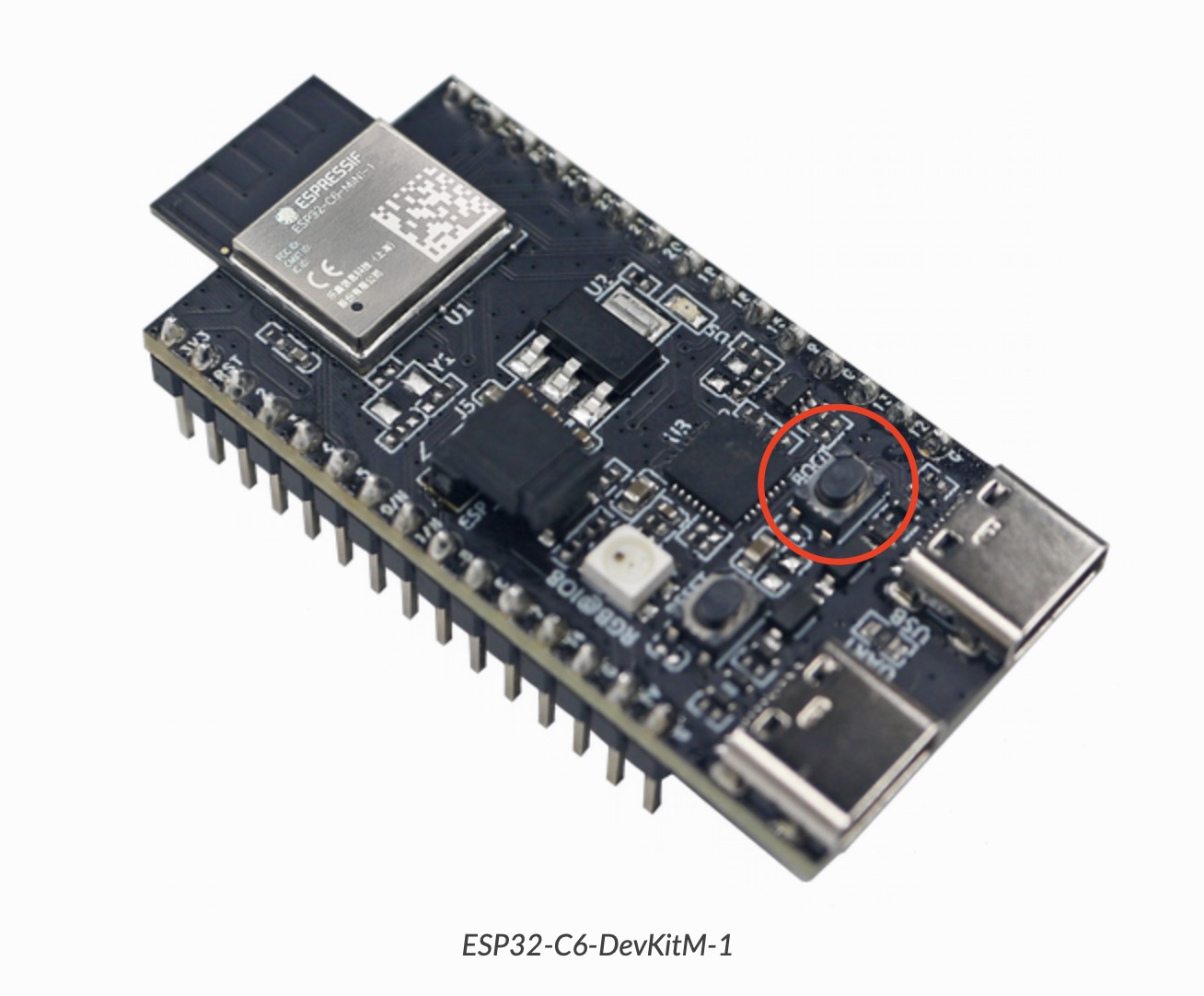
Here the onBoard button of a ESP32-C6-DevKitM-1 V1.0 board is defined:
GenericButton onBoardButton(
    std::string("onBoardButton"),
    (gpio_num_t) 9, // GPIO
    0, // active = DOWN
    false, // pull enabled
    std::string("GPIO")
);
For every event you want to detect, you have to define a callback function. This function is called, when the event occurs.
Here is an example for the BUTTON_SINGLE_CLICK event:
// Callback function for BUTTON_SINGLE_CLICK event from onBoardButton
extern "C" void callback_onBoardButton_BUTTON_SINGLE_CLICK(void *arg, void *data)
{
    ESP_LOGI("onBoardButton Callback", "for Event BUTTON_SINGLE_CLICK called!");

    iot_button_print_event((button_handle_t)arg);

    // ToDo: add code here to execute in case of a single click
}
To register this callback function with your button you have to call RegisterCallbackForEventwith your GenericButton instance (here onBoardButton):
onBoardButton.RegisterCallbackForEvent(BUTTON_SINGLE_CLICK, callback_onBoardButton_BUTTON_SINGLE_CLICK);
Leave a Reply to Physical Computing – elrebo Cancel reply